Markdown cheat

| Table of content |
| Basics syntax |
| Additonal syntax |
1. Basic syntax
Headings To create a heading, add number signs (#) in front of a word or phrase. The number of number signs you use should correspond to the heading level. code
# Heading level 1
## Heading level 2
### Heading level 3
#### Heading level 4
##### Heading level 5
###### Heading level 6
Example
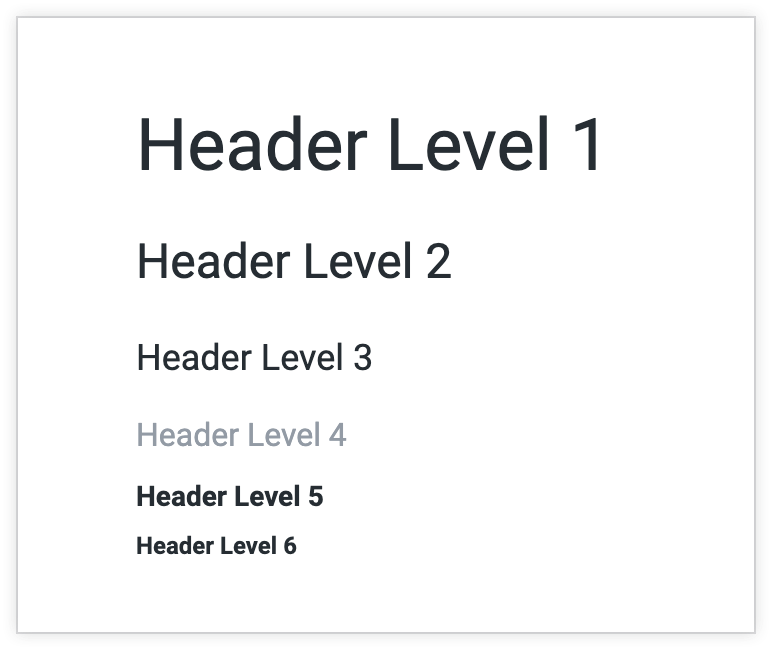
similarly you can use # to ###### it increase the heading size just like in html work h1 to h6
Bold To bold text, add two asterisks or underscores before and after a word or phrase. To bold the middle of a word for emphasis, add two asterisks without spaces around the letters.
**Block level element**
**Inline level element**
Italic To italicize text, add one asterisk or underscore before and after a word or phrase. To italicize the middle of a word for emphasis, add one asterisk without spaces around the letters.
*Block level element*
 _Inline level element_
Blockquotes with Other Elements Blockquotes can contain other Markdown formatted elements. Not all elements can be used — you’ll need to experiment to see which ones work.
> - Block level element
> - inline level element
Ordered Lists To create an ordered list, add line items with numbers followed by periods. The numbers don’t have to be in numerical order, but the list should start with the number one.
1. First item
2. Second item
3. Third item
4. Fourth item
Unordered Lists To create an unordered list, add dashes (-), asterisks (*), or plus signs (+) in front of line items. Indent one or more items to create a nested list.
- First item
- Second item
- Third item
- Fourth item

* First item
* Second item
* Third item
* Fourth item

+ First item
+ Second item
+ Third item
+ Fourth item

- First item
- Second item
- Third item
    - Indented item
    - Indented item
- Fourth item
Link
[link](https://www.ineuron.ai)
Image

Tables To add a table, use three or more hyphens (---) to create each column’s header, and use pipes (|) to separate each column. For compatibility, you should also add a pipe on either end of the row.
| Syntax      | Description |
| ----------- | ----------- |
| Header      | Title       |
| Paragraph   | Text        |


