Getting started with array

What is an array
An array is basically a collection or a list of similar items stored in a contagious memory location using a single variable name, where each item can be accessed by an index number like storing all the student names in a class according to their roll numbers. In JavaScript, arrays are not primitive types instead they are of object type i.e. arrays are not immutable. Arrays can be single or multi-dimensional. Single-dimensional is basically what we call a list and multi-dimensional arrays are basically what we call matrices whose each element can be accessed by their index number, just like an excel sheet where the box can be accessed by row and column number.
//defining a single dimensional array in JavaScript
let array = [1, 2, 3, 4, 5];
console.log(array)
//define a 2d array
var arr = [
  [1, 2, 3],
  [4, 5, 6],
  [7, 8, 9],
];
console.log(arr);
Array methods simplified
A method is basically a predefined block code or a function that performs a particular task. In JavaScript, we have a set of predefined methods that we can use in arrays.
 let array = [4, 2, 3, 1, 5];
console.log(array);
console.log(array.length);
output:-

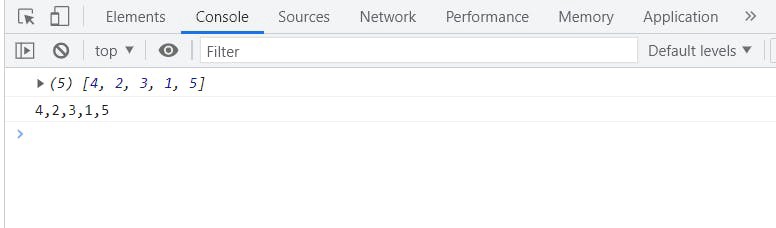
toString()
This method converts the array of elements to a string.
 let array = [4, 2, 3, 1, 5];
console.log(array);
console.log(array.toString());
output:-
join():- This method also works like the toString() but you can add an operator to make your string look a bit different.
let array = [4, 2, 3, 1, 5];
console.log(array);
console.log(array.join(" "));
output
 I am passing here space (" ") so our elements are separated by space.
push(element):-
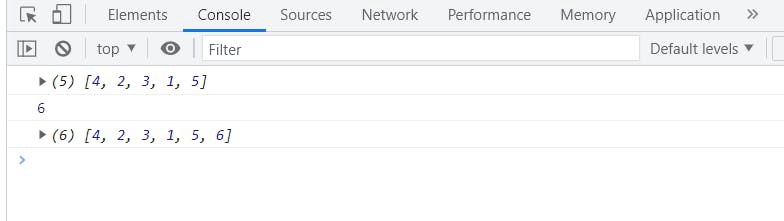
If you want to dynamically add an element to an array you can use this method.
I am passing here space (" ") so our elements are separated by space.
push(element):-
If you want to dynamically add an element to an array you can use this method.
let array = [4, 2, 3, 1, 5];
console.log(array);
console.log(array.push(6));
console.log(array);
output
pop():- This method is used to remove the last element from an array.
let array = [4, 2, 3, 1, 5];
console.log(array);
console.log(array.pop());
console.log(array);
output:-
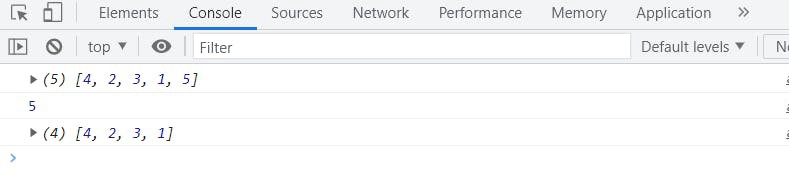 See 5 is popped out from our array.
shift():- This method is used to remove the first element of an array.
 let array = [4, 2, 3, 1, 5];
console.log(array);
console.log(array.shift());
console.log(array);
output:-
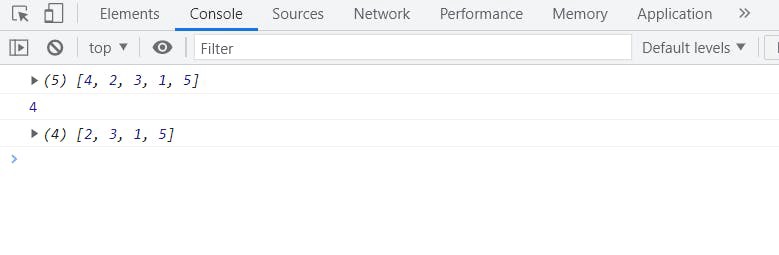 See 4 is shifted from our array.
unshift():- This method is used to add an element at the beginning.
let array = [4, 2, 3, 1, 5];
console.log(array);
console.log(array.unshift(7));
console.log(array);
output:-
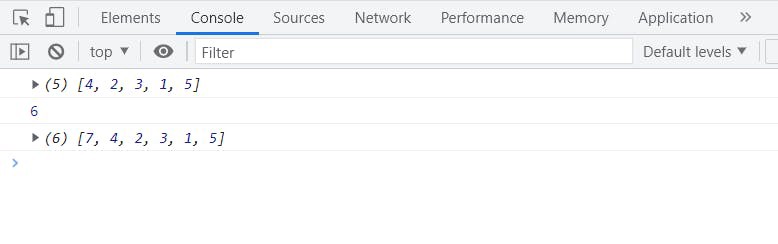
One thing you can notice here is that unshift() adds 7 at the beginning of our array on the other hand it returns the length of the new array.
concat():- This method joins two arrays and returns a new one.
let array = [4, 2, 3, 1, 5];
let newarr = [3, 2, 1, 4, 5];
console.log(array);
console.log(newarr);
console.log(array.concat(newarr));
console.log(array);
output:
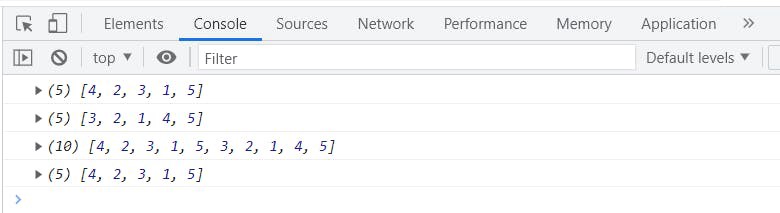 See this returns a new array of length 10.
splice():- This method adds new items to an array at a particular position and can also remove elements.
let array = ['a', 'b', 'c'];
console.log(array);
console.log(array.splice(2, 1, 'a', 'b'));
console.log(array);
output:-
Look at the code the splice method contains pw parameters: splice(startnumber,itemstobedeleted, items to be added)
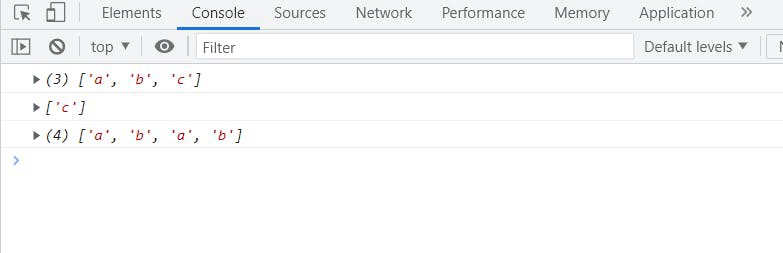 Here in our example, it is removing 1 element i.e. c from the 2 index and adding a,b there.
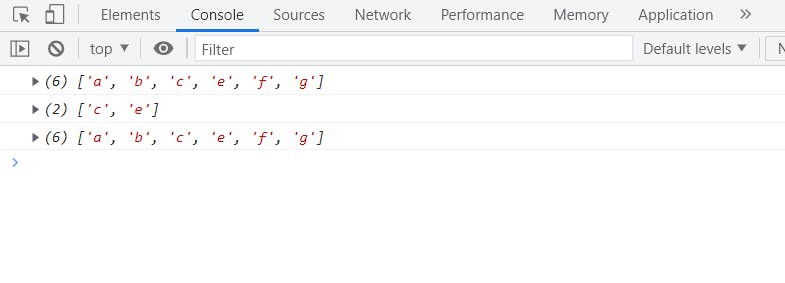
slice():- This method removes a part from an array and returns a new one without affecting the original one.
let array = ['a', 'b', 'c','e','f','g'];
console.log(array);
console.log(array.slice(2, 4));
console.log(array);
output:
Iteration in an array:- Iteration means repeating, now suppose you want to access a few elements of an array in an ordered way or simply you want to iterate over an array, and there are several ways to do so but I am going to show you the most used ones.
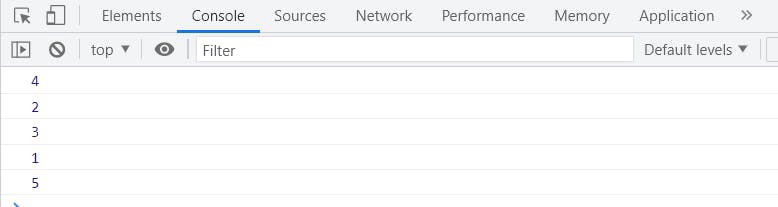
forEach() It is used to iterate over the whole array from beginning to end.
let array = [4, 2, 3, 1, 5];
array.forEach(function (element) {
  console.log(element);
});
output:-
map() It basically creates a new array and performs a particular task within it.
let array = [4, 2, 3, 1, 5];
let result = array.map((item) => {
  return item * 2;
});
console.log(result);
console.log(array);
output:-
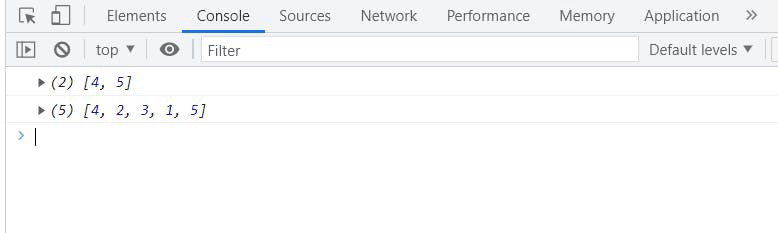
See a new array is created and the old array didn’t change.
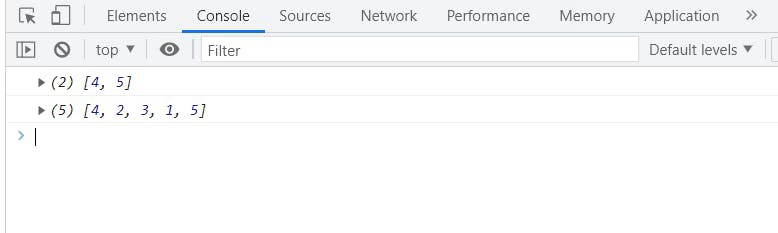
filter() This also creates a new array but only returns the values that pass a test or a condition.
let array = [4, 2, 3, 1, 5];
let result = array.filter((item) => {
  return item > 3;
});
console.log(result);
console.log(array);
output:-
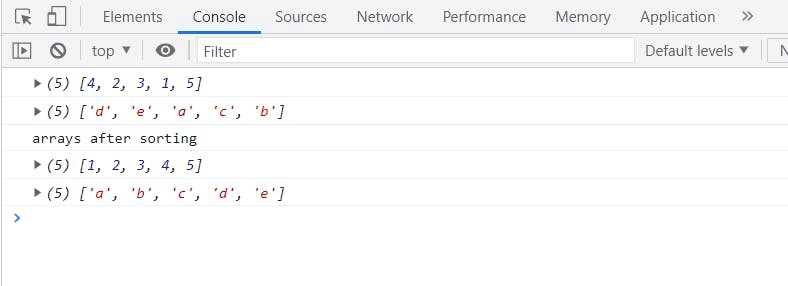
Sorting an array In JavaScript, you can use the sort() method for sorting an array in alphabetical order for numeric arrays just pass a compare function within it as the sort function considers every array element as a String.
let array = [4, 2, 3, 1, 5];
let strArray = ["d", "e", "a", "c", "b"];
console.log(array);
console.log(strArray);
console.log("arrays after sorting");
console.log(array.sort((a, b) => a - b));
console.log(strArray.sort());
output:-